How to Spot Fraudulent Customer Support Sites on Social Media
Published: March 12, 2026
Contents
Full Guide
The Rise of Fake Customer Support on Social Media
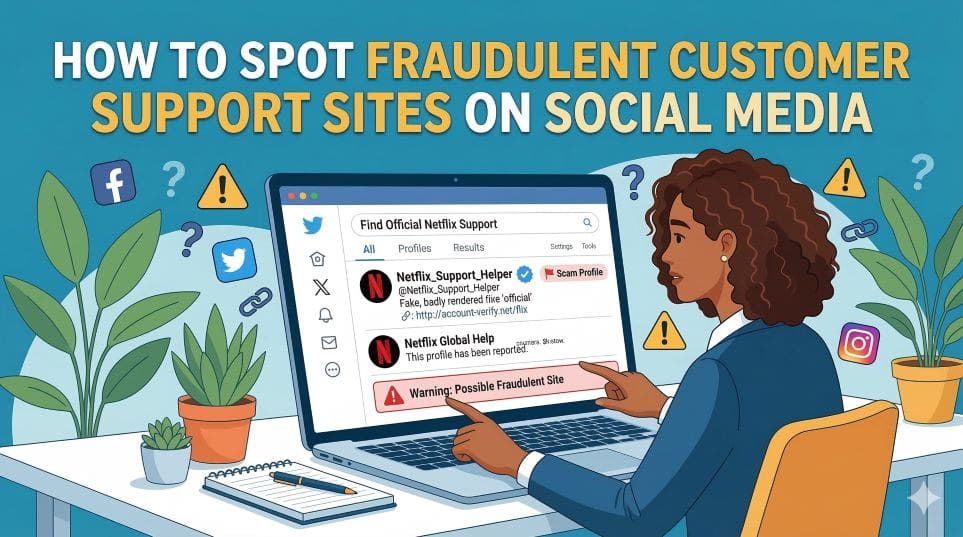
Social media platforms have become fertile ground for a particularly deceptive form of fraud: fake customer support accounts. Scammers create profiles that closely mimic the official support channels of banks, airlines, utility providers, telecoms companies, and other trusted brands. When a frustrated customer posts a complaint or question publicly, these fraudulent accounts swoop in with a reply — often within minutes — posing as a helpful representative.
The speed and apparent attentiveness of these fake accounts can be disarming. A consumer who is already stressed about a billing problem or a frozen account may be especially vulnerable to a scammer offering a quick resolution. Understanding how these operations work is the first step to protecting yourself.
How the Scam Typically Unfolds
The mechanics of a fake customer support scam on social media usually follow a recognisable pattern:
- You post a complaint or query on a public platform such as X (formerly Twitter), Facebook, or Instagram, tagging or mentioning a well-known brand.
- Within minutes, an account with a similar name and logo to the real company replies, expressing concern and offering help.
- The fake account asks you to move the conversation to a private message, email, or an external website.
- Once in private, you are asked to provide personal details, account credentials, or remote access to your device — supposedly to verify your identity or resolve the issue.
- In some cases, you are directed to a cloned website that harvests your login details or payment information.
By the time you realise the account was fraudulent, significant damage may already have been done.
Warning Signs and Red Flags
Check the Account Carefully Before Engaging
Fake support accounts often look convincing at first glance, but closer inspection usually reveals telltale signs of fraud. Look out for the following red flags:
- No verification badge: Legitimate support accounts for major brands are typically verified. The absence of a platform verification badge should raise immediate suspicion.
- Slight variations in the username: Scammers often use usernames that are nearly identical to the real account but include extra characters, underscores, or numbers — for example, @BrandSupport_UK1 instead of @BrandSupportUK.
- Low follower count or recent account creation: A genuine brand support account will have a substantial history and following. A newly created account with few followers is a strong warning sign.
- Unsolicited contact: Legitimate companies rarely reach out to customers who have not specifically contacted their official channels. If an account approaches you without being tagged, be sceptical.
- Requests to leave the platform: Genuine support teams resolve issues through official channels. Any request to move to an unverified third-party website, WhatsApp, or personal email should be treated as suspicious.
- Urgency and pressure tactics: Scammers often create a sense of urgency, warning you that your account will be closed or funds lost unless you act immediately.
Examine Links Before You Click
If you are directed to a website, scrutinise the URL carefully. Cloned support sites often use domain names that closely resemble the legitimate company's address but contain misspellings, additional words, or different domain extensions. Never enter login credentials or payment details on a site you reached via a social media message rather than through your browser's address bar or the company's official app.
What to Do If You Have Been Targeted
If you suspect you have interacted with a fraudulent customer support account, take the following steps without delay:
- Stop all communication with the account immediately and do not provide any further information.
- Change your passwords for any accounts that may have been compromised, starting with your email and banking credentials.
- Contact the real company directly using contact details found on their official website — not through social media — to alert them and verify whether any legitimate action is needed on your account.
- Report the fake account to the social media platform using its built-in reporting tools. This helps protect other users.
- Report the fraud to Action Fraud (in the UK) or your relevant national consumer protection authority. If financial loss has occurred, also notify your bank immediately.
- Check your devices for any remote access software that may have been installed, and seek technical assistance if necessary.
Staying Safe Going Forward
Whenever you need customer support from a business, go directly to the company's official website to find verified contact details rather than relying on social media responses. Be especially cautious when posting complaints publicly, as these posts can be monitored by scammers in real time. A moment of verification before engaging with any support account could save you from significant financial and personal harm.